I set out on a radical mission to create a website without using any AI for my solopreneur business mentoring gig. The whole website needs to scream creativity because the whole project is about teaching creativity skills to early business owners. Let me walk you through the whole website and explain my thought process behind it, especially about the no AI policy, because there's one place where I intentionally chose to break that rule.
Hi, I'm Casper. I am a creativity mentor from Amsterdam, but before I was a creativity mentor, I used to be the websites guy for other people's businesses. And when I was making my own website for my creative demo project, I wanted to make it as a case study for the solopreneurs that I mentor to show that a maximalist approach to human creativity without using AI can work much, much better than some vibe coded AI slop. Yes, you have my permission to get inspired and steal some of my ideas.
There are two main ways you can learn creativity skills on CreativeDemo.org. You can start learning creativity on your own for free. There's downloadable workbooks and wallpaper packs, and there's a newsletter that you can subscribe to, or we can work on a one-on-one mentoring program.
The homepage is the place that explains the concept of learning creativity as a skill for your business. And immediately it goes into the no AI policy. Where we are putting a lot of emphasis on human creativity. I've explained the AI policy in 2 ways. The first one is what it means practically for the user, so it says: "Whenever you see a drawing, I drew it by hand, whenever you read something, I came up with it in my own mind, and whenever you hear me say something, you can bet it's coming from my human experience and expertise." And then the second part is more philosophical that says ”True creativity is learnable only from human experience, we're here to share the joy of creating new things, and creativity is a human skill and it belongs to us. This I promise, and then I signed it – Casper.”
Let me tell you the story of how I came to the conclusion that I need to make no AI policy. Basically, I was motivated by a lot of AI bros who told me "Oh, just use AI to vibe code your website. It's going to be so much easier for you and it's so easy, anybody can do it these days." And I just remember thinking to myself: "if anybody can do it, why then bother creating it at all?" On the other hand, when I would tell people that I have a no AI policy across Creative Demo, it was a unanimous yes, support, clapping... They were there for it. But I also noticed that they usually then focus on how this will make my content better for my audience and not focusing on how it would be easier for me because we all know that hard things are worth doing.
I really want to make something that I could be proud of, and I know that when I put in the effort that makes me in itself proud of what I've made, but also subsequently, it will make me proud of all the businesses and people that my creativity lessons touch. And that's the whole reason why I'm doing Creative Demo.
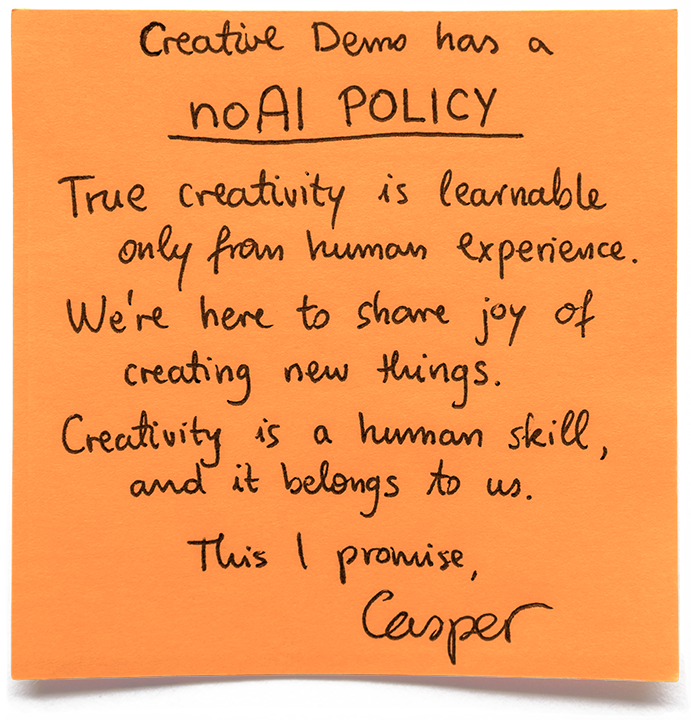
Next to creativity, which is the differentiator in every business, and that's the literal tagline of the website itself, I would add that it's all about human-made creativity and human-made things, and that's the differentiator nowadays in the age of AI. I'm also hoping that Creative Demo caters to the angry mob of people who are done with AI slop and value original, not stolen ideas.
Also, between us, I want to explain why I intentionally wrote the AI policy on a post it with my own hand, with a real pen, not even a digital pen, and I took a photo of it and put it as a photo on the website. Basically, I don't want AI crawlers to be able to read it as easily, so it's our little secret.
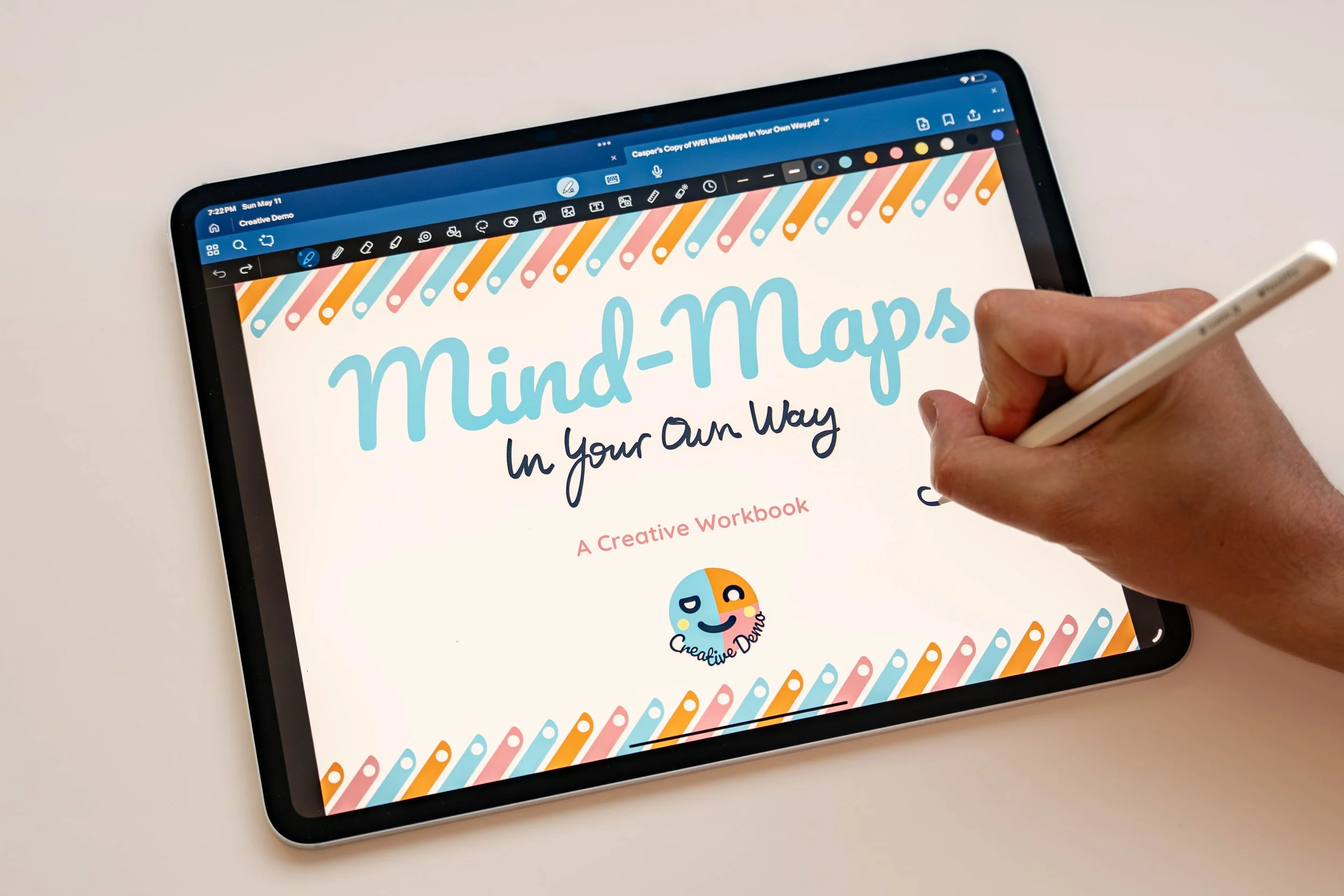
And then something crazy happened. I was so happy with the home page. The no AI policy was in place. Great. Let's start working on the Downloads page. There, I decided that the only thing that I had ready is my Mind Maps In Your Own Way workbook, and I was super happy to give it away because it's something that I've worked on before I started doing YouTube videos, and it's, it was the perfect freebie, perfect kind of gateway drug to get you into the Creative Demo world. But then I realized, okay. The idea of this mind map came from my own struggles of how to make mind maps. I remembered that at that time I had a lot of problems with procrastination and imposter syndrome because I was just starting out, especially when I had to write the text myself.
So my trick back then was to write down what I wanted to say, just in bullet points, I would talk into my phone, record myself in the mic, and then I would give AI the transcript to write it in a nice text. Even though all the creative ideas in this creative workbook are mine, technically, the text has been written by AI. And I thought to myself "okay, easy enough, I will just go in, rewrite all of the text myself again with my own ten fingers and that'll be it." But then the problem was the working file was kind of corrupted and I couldn't work on it anymore. So in the end, I just decided to own it. I explained the whole story like I have to you in this paragraph, and it is in the end a freebie, so you can't really complain. But my AI philosophy still stands. All the ideas are my own in this book, in this workbook, only the text has been written by AI rewritten by AI or like polished. And that would, that's the only time, I promise.
I chose Squarespace to build this website and before you fast forward, no, this is not sponsored by Squarespace for once, but I just want to show you why I chose Squarespace over Framer. I was also considering that. But in the end, Framer helps people who have some coding skills, while Squarespace gives the rest of us enough tools to play around and be creative, yet keeps some guardrails on that I'm really happy that they're there. Let me demo some ways that I was able to be creative within the guardrails or creative constraints of Squarespace.
First, I'm very proud of icons that are all over the website, they are one of the first things I've ever done for Creative Demo. I was also able to play a lot with text highlights. You can see maybe it went a little bit overboard, but hey, it's creativity maxing, right? And I was also pleasantly surprised how many of my YouTube thumbnails I was able to repurpose for the website.
Second, let’s look at the Downloads page. These mind maps coming out of my head are slightly moving. So this is not something I programmed. This is just an option within Squarespace to animate the whole image. It's it's still very subtle. By the way, if you like my drawing style, there's a whole wallpaper pack of my illustrations, and a photo wallpaper pack as well.
Let me show you one last thing in the Newsletter section. So using the same thing as in the footer, these paper airplanes that I drew are also kickaroundable, if I can make up a word like this. And I'm very happy with the icon symbolism, how it fits in with the newsletter theme.
One more tip I'd like to share is about the About page: don't shy away from making it too personal, like I've literally put up my baby photo. Secretly, when I'm browsing websites, the About page is one of my favorite pages to check out because it's the most honest page. Like for a moment it stops selling as hard and it gives the reader real answers to the questions, who are you? And why should I care about your project?
And that's how it's done! You can make a website without AI still! Should you do it? Absolutely! Don't let the AI bros take this fun process away from you, telling "Oh, just vibe code it." You don't want to make another brick in the wall. You wanna make something that's truly yours and something you can be proud of.
There's nothing better than to actually browse around the website yourself, especially when you take your mouse pointer or your finger to play around with the little blue blobs in the footer. It would make me so happy if you help yourself to one of the free wallpaper packs, the AI written workbook that was actually thought about by me. Remember that offer to go and steal one of these ideas for your own website.